
We have completed our research to provide you with the insight of best tablet computer limitations and abilities of under $400 and equal. These portable tablets provide exceptional value, superior mobility, and the ability to handle all of your business tasks, learning, online classes, meetings, scheduling, and playtime needs. Most importantly, they do not sacrifice quality and have all of the bells and whistles of more expensive models to wow you without sacrificing performance.
| Award | Design | TABLETS | Retailer |
|---|---|---|---|
| Best Small Tablet | Best Pick  | CHECK LATEST PRICE | |
| Best Tablet with Keyboard and Stylus |  | CHECK LATEST PRICE | |
| Best Tablet for Business | Staff Pick  | CHECK LATEST PRICE | |
| Good tablet for reading | 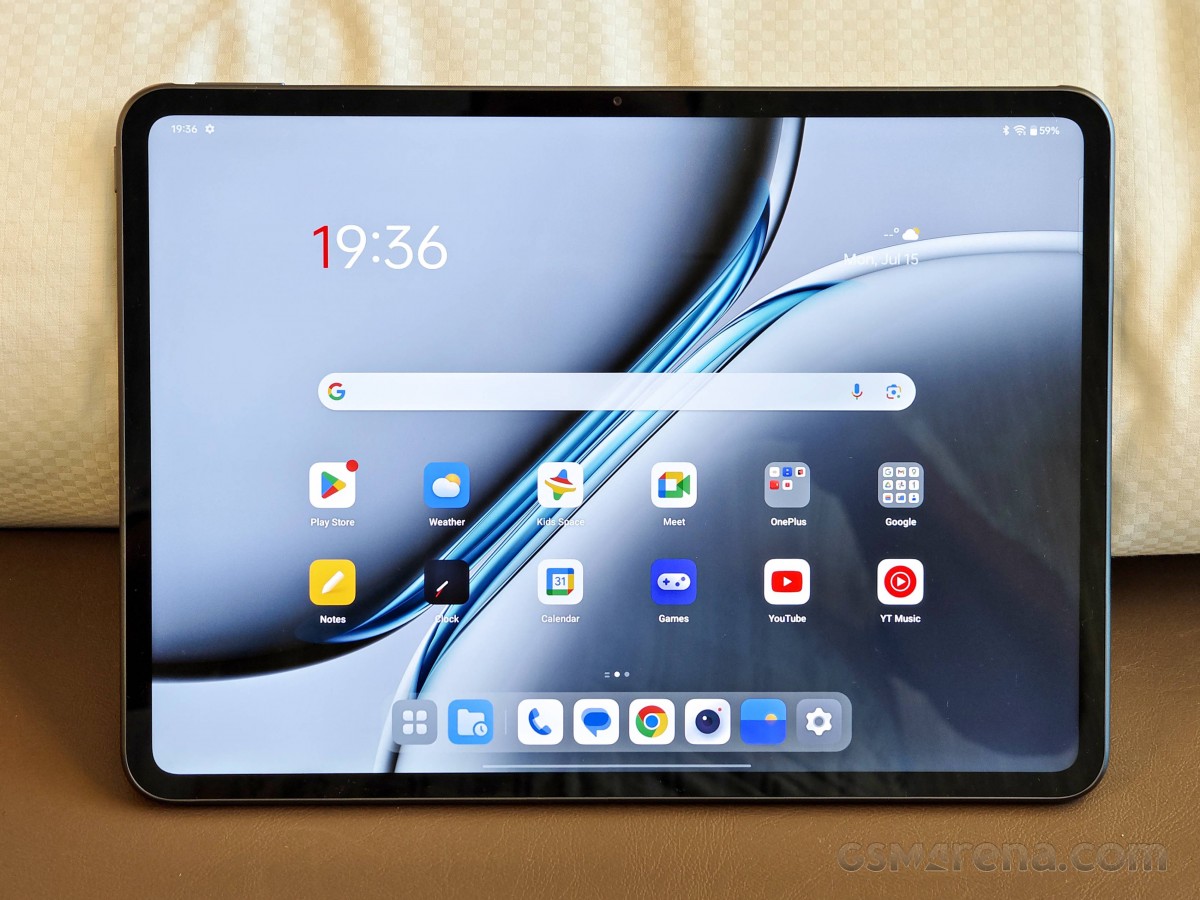 | CHECK LATEST PRICE | |
| Best mid-range tablet | Budget Pick  | CHECK LATEST PRICE | |
| Best tablet for taking handwritten notes |  | CHECK LATEST PRICE | |
| Best tablet for work |  | CHECK LATEST PRICE | |
| Best large screen tablet |  | CHECK LATEST PRICE |
You’re surely aware of the several high-end possibilities, which range from Apple’s famed iPad Pros to next-generation Android tablets and Windows tabs alike. It is worth mentioning that many flagship tablets have expensive price tags, with business tablets frequently selling between $600 and $1,299.97. The best tablets under $400 we’ve featured represent considerable cost savings with mid to high-range hardware.
Best Tablets Under $400 Budget
Apple iPad Mini (7th gen)
Best Small Tablet
SPECIFICATIONS
Weight: 293g (0.65 lbs) | OS: iPadOS 16 | Display: 8.3-inch Liquid Retina | Chip: A15 Bionic | RAM: 4GB | Storage: 64GB | SD card: No | Camera Front: 12MP | Camera Back: 12MP LiDAR with flash | Battery: 19.3 watt-hour (Up to 10 hours) |
The Apple iPad Mini 7th generation, starting at $399 (often on sale), is the perfect compact tablet for anyone who values portability without sacrificing performance. At just 293g and with an 8.3-inch Liquid Retina display (500 nits, P3 color, anti-reflective), it’s incredibly easy to hold one-handed—ideal for reading ebooks, browsing, or streaming on the go. The A17 Pro chip delivers snappy speed, hardware-accelerated ray tracing for gaming, and full support for Apple Intelligence features like smarter writing tools and enhanced Siri. Base storage jumps to 128GB, with Wi-Fi 6E and optional 5G for blazing connectivity.
Pair it with the Apple Pencil Pro for precise note-taking and drawing. Hover, squeeze, and barrel roll gestures make it a dream for students, artists, and writers. Quad speakers pump out great audio, Touch ID is quick and reliable, and battery life hits 10+ hours for mixed use (around 8 for gaming). The 12MP cameras with Center Stage handle video calls and scans well.
It’s not perfect, the 60Hz screen lacks ProMotion smoothness, there’s no landscape front camera, and advanced dongles aren’t supported, but at this price and size, the trade-offs are worth it. After a year on the market, it remains the best small tablet: powerful, future-proof, and one you’ll actually carry everywhere. Highly recommended for tech lovers seeking premium performance in a pocketable package.
Samsung Galaxy Tab S10 FE
Best Tablet with Keyboard and Stylus
SPECIFICATIONS
Weight: 608g (1.34 lb) | OS: Android 13 upgradable | Display: 12.4 inches | Chip: Qualcomm Snapdragon 778G (5G) | RAM: 4GB | Storage: 64GB | SD card: Up to a TeraByte | Camera Front: 5MP | Camera Back: 8MP | Battery: Li-Po 10090 mAh (Up to 12 hours) |
If you’re hunting for a solid Android tablet that won’t break the bank, the Samsung Galaxy Tab S10 FE hits the mark at around $399 on current deals, and is on the base 128GB Wi-Fi model. It’s slim at just 6mm thick, surprisingly light for its 10.9-inch size, and boasts full IP68 water and dust resistance; drop it in the pool or use it in the rain without panic.
The bright LCD screen pushes 800 nits, with a smooth 90Hz refresh and sharp resolution that makes it perfect for Netflix, reading, or scrolling in bed. For productivity, its software is backed by Galaxy AI goodies like Circle to Search and smart note organization. You get expandable storage via microSD, Wi-Fi 6E (or 5G option), and Samsung’s promise of long-term updates.
The real magic is the included S Pen, low-latency, magnetically attaches, perfect for jotting ideas, sketching, or annotating docs without buying extras. Dual speakers deliver clear, balanced sound for movies or calls, the 8000mAh battery easily lasts a full day, often 15+ hours of mixed use, and the cameras, 13MP rear, 12MP front ultrawide, are great for quick scans or video chats. Throw in DeX mode for a desktop setup with a keyboard, and it’s a productivity beast on a budget.
Sure, the LCD isn’t as vibrant as AMOLED on pricier Samsungs, and it tops out at 90Hz instead of 120Hz, but for under $400, these feel like fair cuts. No flagship power for intensive pro work, either. In a sea of tablets, the Tab S10 FE is a reliable choice with all its perks without spending $600+. Grab one, you’ll use it way more than you expect.
Google Pixel Tablet
Best Tablet for Business
SPECIFICATIONS
Weight: 544g (1.2 lbs) | OS: Windows 11 Home in S mode | Display: 10.5 inches | Chip: Intel Pentium Gold 6500Y | RAM: 4GB LPDDR3 | Storage: 64GB eMMC (SSD) | SD card: Up to a TeraByte | Camera Front: 5MP | Camera Back: 8MP | Battery: 27.5 Wh (7,270 mAh) (Up to 8 hours) |
✓Solid build with clean Google software
✗Not the fastest chip for heavy tasks
CHECK LATEST PRICESHOP ON AMAZONDEAL FOR BEST BUYRead Customer Reviews
You can pick up the Google Pixel Tablet right now for around $338.95 on deals, often dipping lower. It has a premium feel with its nano-ceramic coating, slim build at just 0.3 inches thick, and a weight that makes it easy to carry around the house. The 11-inch LCD hits 2560×1600 resolution with solid brightness and colors for everyday use. Google’s Tensor G2 chip is decent, not perfect, but it handles AI features like photo editing and voice recognition well.
It works great with any USI 2.0 stylus for notes or sketches, though you’ll buy one separately. Four speakers deliver clear, loud audio, better when paired with the optional charging dock that boosts bass. Battery holds up for 10-12 hours of video or mixed tasks in my experience. Both 8MP cameras are basic but fine for video calls, with the front one tracking you to stay in frame.
What makes the Google Tablet a good value for your money is its clean, stock Android experience with long-term software updates, along with the ability to double as a Smart Home hub. The dock is no longer included at this price, so there is no built-in speaker boost or always-on, always-charged hub mode out of the box. The display is limited to 60Hz, no stylus is included, and performance is not top-tier for heavy gaming or intensive editing tasks.
Still, for under $400, this tablet gives you a pure Google experience, seamless Pixel phone and Pixel watch integration, and smart home controls that no iPad matches. Perfect for media fans, casual users, or anyone in the Google ecosystem wanting a reliable couch companion. Go for it if you spot a good deal.
OnePlus Pad 2
Good tablet for reading
SPECIFICATIONS
Weight: 250g (8.82 oz) | OS: Android 11 | Display: AMOLED 8.1 inches and 5.6 folded | Chip: Qualcomm Snapdragon 855 | RAM: 6GB | Storage: 128GB | SD card: No | Camera Front: 11 MP, PDAF with flash | Camera Back: No | Battery: Li-Po 3577mAh (Up to 9 hours and 27 minutes) |
✓Top-tier chip crushes everything fast
✗No expandable storage
CHECK LATEST PRICESHOP ON AMAZONDEAL FOR BEST BUYRead Customer Reviews
Deals right now drop the OnePlus Pad 2 to around $338.95, sometimes lower on sales. It packs a premium aluminum build that feels solid yet light at about 584 grams. The 12.1-inch LCD display hits 3K resolution with up to 144Hz refresh and 900 nits brightness for sharp, vibrant views. What is in his heart is the Snapdragon 8 Gen 3 chip that flies through apps and multitasking. At this price, you’ll get an extraordinary 12GB RAM, 256GB storage standard, and Wi-Fi 6E, making a truly high-end feel without the full flagship cost.
Add the optional Stylo 2 for natural note-taking or drawing, and pair a keyboard for real work. Other than raw speed and crisp screen quality, the six speakers are loud and rich. The 9510mAh battery lasts over a full day of heavy use, with 67W charging filling it fast. Cameras include a 13MP rear and 8MP front, solid for scans or calls. In daily life, it crushes gaming with stable frames, handles productivity like document edits without lag, and shines for binge-watching shows.
The screen is LCD, so colors pop, but blacks aren’t as deep as OLED rivals. No microSD slot for extra storage, and accessories cost extra if needed. Cellular option adds to the price. Even with those points, the performance punch and battery life make it worth every dollar under $400. Ideal for gamers, media buffs, or multitaskers who want Android power on a budget. Snap it up on current deals.
Xiaomi Pad 7 Ai
Best mid-range tablet
SPECIFICATIONS
Weight: 511g (1.13 lb) | OS: Android 12 | Display: IPS, 11 inches with 120Hz | Chip: Qualcomm Snapdragon 860 | RAM: 6GB | Storage: 128GB | SD card: No | Camera Front: 8 MP | Camera Back: 13 MP | Battery: Li-Po 8720 mAh (Up to 14 hours and 30 minutes) |
✓Sharp 11.2-inch 3.2K display with 144 Hz refresh rate
✗
CHECK LATEST PRICESHOP ON AMAZONDEAL FOR BEST BUYRead Customer Reviews
The Xiaomi Pad 7 Ai stands out as a strong value in the Android tablet space. The 11.2-inch 3.2K display looks crisp and vibrant, and the 144 Hz refresh rate makes scrolling and animations feel responsive. Dolby Vision support and a solid metal build give it a premium feel, while the quad speakers deliver loud, clear sound that works well for movies, casual gaming, and video calls.
Performance is reliable for daily use thanks to the Snapdragon 7+ Gen 3 chip and up to 12 GB of RAM. Apps open quickly, multitasking feels smooth, and most games run well at high settings. Heavy video editing is not really the focus at this price, which is fair for what you are paying. For daily mixed use like light gaming, streaming, and multitasking, the battery easily pushes close to 18 hours, and fast charging helps you get back in the game quickly.
The tablet runs Xiaomi HyperOS on top of Android, which feels clean and easy to navigate with useful split-screen and multitasking options. That said, Android tablets still lack some app polish compared to iPads, and occasional heat or background app behavior can show up. Software updates are acceptable, though they are not the strongest reason to buy this tablet long term.
Optional accessories like the Focus Pen and keyboard make the Pad 7 Ai more versatile, but they increase the total cost and are not must-haves for basic use. The cameras are fine for video calls and quick photos, nothing more. Taken as a whole, this tablet offers a well-balanced mix of display quality, performance, and build, making it a smart choice for students, casual creatives, and everyday users who want strong features without paying flagship prices.
BOOX Tablet Note Air 4C
Best tablet for taking handwritten notes
SPECIFICATIONS
Weight: 420 grams | OS: Android 11 | Display: 10.3 inches (E Ink Carta) | Chip: Qualcomm Snapdragon 636 | RAM: 4GB | Storage: 64GB | SD card: No | Camera Front: No | Camera Back: No | Battery: Li-ion 3000mAh (Up to a month, 4 weeks) |
✓Long battery life companion for reading and annotation
✗
CHECK LATEST PRICESHOP ON AMAZONDEAL FOR BEST BUYRead Customer Reviews
The BOOX Note Air 4C is built for people who read and write a lot. Its 10.3-inch color E-Ink display is easy on the eyes and works especially well for books, PDFs, and notes, even in bright light. Colors are muted compared to a regular tablet, but that’s the trade-off for comfort during long sessions. The slim, lightweight design makes it easy to hold for hours.
Performance is good enough for its purpose. Android 13 allows app installs, and everyday tasks like reading, annotating, and light multitasking feel smooth. The stylus is accurate and natural for note-taking, though fast scrolling and heavy apps can feel slow. Battery life lasts several days with normal reading and writing, but frequent lighting and app use will drain it faster.
This tablet shines as a digital notebook and reading tool, not a media device. Video, gaming, and fast animations are not its strengths, and the price is higher than basic e-readers. For students, researchers, and professionals who value eye comfort and handwritten notes, the Note Air 4C makes sense. For everything else, a regular tablet is the better choice.
Microsoft Surface Pro 7 Plus
Best tablet for work
SPECIFICATIONS
Weight: 420 grams | OS: Windows 11 Pro | Display: 12.3 inches | Chip: Intel i5-8250U (Quad Core) | RAM: 8GB | Storage: 256GB SSD | SD card: Up to a TeraByte | Camera Front: 5 MP | Camera Back: 8 MP | Battery: 45.0 Wh (5,940 mAh) (Up to 13 hours) |
✓Full Windows tab for productivity
✗Workload battery life is average, 7 hours
CHECK LATEST PRICESHOP ON AMAZONDEAL FOR BEST BUYRead Customer Reviews
The Microsoft Surface Pro 7+ gives you the best of both worlds, acting as a tablet when you want portability and a laptop when you need real productivity. The 12.3‑inch PixelSense touchscreen is bright, clear, and comfortable for long sessions, while Windows lets you run full desktop apps like Office, Photoshop, and web browsers without compromise. With the 11th‑gen Intel Core processor, everyday tasks like writing, browsing, video calls, and light creative work feel faster and more responsive than the previous generation.
Battery life is solid for normal daily use, realistically lasting around 7–9 hours depending on workload, which is an improvement over the original Surface Pro 7. Heavy multitasking, long video calls, or using resource-intensive apps can reduce that, so having the charger nearby is smart. USB‑C provides basic connectivity, but the absence of Thunderbolt limits very fast external docks or multiple high-resolution monitors.
Design and flexibility remain the Surface line’s strengths. The tablet is thin, light, and sturdy, with a built-in kickstand that makes setup anywhere simple. Adding a Type Cover keyboard or the Surface Pen turns it into a capable tool for school, office work, or note-taking. For everyday tasks, writing, and light creative work, it performs very well, though gaming or very demanding software will push it beyond its limits. This is a genuine Microsoft device, widely available, and ideal for anyone seeking a portable, versatile tablet-laptop hybrid under a reasonable budget.
Apple iPad (11th Gen, A16)
Best large screen tablet
SPECIFICATIONS
Weight: 477g (1.05 lbs) | OS: iPadOS 16 | Display: 10.9-inch Liquid Retina | Chip: A14 Bionic | RAM: 4GB | Storage: 64GB | SD card: No | Camera Front: 12MP | Camera Back: 12MP LiDAR | Battery: 28.6‐watt-hour (Up to 10 hours) |
✓A16 Bionic chip is good for daily business
✗
CHECK LATEST PRICESHOP ON AMAZONDEAL FOR BEST BUYRead Customer Reviews
The Apple iPad (11th Gen, A16) offers a strong balance of performance, size, and value, especially at around $372.39 for the base model. Its 10.9‑inch Liquid Retina display is bright and sharp, making it great for videos, browsing, and reading. The A16 Bionic chip handles everyday tasks like multitasking, streaming, and casual gaming with ease. iPadOS is smooth and familiar, and the front and rear cameras are solid enough for video calls and quick snapshots.
Battery life on this iPad comfortably lasts a full day of mixed use, typically around 10–12 hours of web browsing or video playback, which is impressive for general users and longer than many Android tablets at this price. It also supports Apple Pencil and Magic Keyboard accessories, though these add to the total cost if you plan to use them.
Compared to the iPad Mini (7th Gen) at around $399, the choice comes down to screen size and portability versus compact convenience. The Mini’s smaller 8.3‑inch display and lighter, one‑hand-friendly design make it easier to carry, while the A17 Pro chip gives it a performance edge. The Mini also supports Apple Pencil Pro with advanced tools if that’s important to you.
For most users, the standard iPad is the better everyday choice. Its larger screen and longer battery life make reading, study sessions, or split-screen productivity more comfortable. The lower price also leaves room in your budget for a keyboard or pencil. The iPad Mini is ideal if you want something ultra-portable and snappy for on-the-go use, but the standard iPad offers more screen and overall value.
Buying Guide for Best Tablets Under 400
Is a tablet a better study tool for students?
Students might consider tablet PCs to be a fantastic choice because of their portability, long battery life, and simplicity of use. They work well for taking notes, drawing, reading e-textbooks, listening to audiobooks, playing games, and participating in online classes and tutorials. Laptop computers, on the contrary, provide greater versatility in terms of performance and productivity, with larger screens, more processing power, and storage space, as well as better typing and connectivity opportunities. Laptop computers are useful for major students who need to focus on more demanding jobs such as video editing, documentation, using standard software and applications, or programming tools. The choice between a tablet and a laptop for studying thus boils down to the student’s demands and preferences.
Which tablets can work as a laptop replacement?
Several tablets today can serve as lightweight laptop alternatives, offering strong performance, large screens, and accessory support for keyboards and styluses. Here are some notable examples from our current product lineup:
Microsoft Surface Pro 7: Runs full Windows, so you can use desktop apps like Office, Photoshop, or coding tools. Pair it with the Type Cover keyboard and Surface Pen to handle note-taking, light video editing, and multitasking just like a laptop. Real-world battery life lasts around 7–9 hours for typical work.
Apple iPad (11th Gen, A16): While iPadOS isn’t a full desktop OS, the A16 Bionic chip is fast enough for multitasking, productivity apps, and light creative work. Pair it with the Magic Keyboard and Apple Pencil to approximate a laptop workflow for document editing, note-taking, or digital art.
Samsung Galaxy Tab S10 FE: This Android tablet has a large screen and solid performance for productivity apps. With a compatible keyboard, it can handle email, browsing, light office work, and media editing efficiently.
OnePlus Pad 2: Equipped with Android and decent hardware, this tablet supports keyboard and stylus use for note-taking, document work, and creative apps, making it suitable for users who want a portable laptop-style setup. $349.99
Xiaomi Pad 7: With a large, sharp display and a capable processor, it handles productivity apps and media consumption well. Keyboard and stylus accessories are supported for work and study tasks. $379.50
BOOX Tablet Note Air 4C: While primarily designed for reading and note-taking, the Android-based Note Air 4C allows app installations, multitasking, and stylus input, giving users a limited but functional laptop-like workflow for documents and sketches. $499.99
Pros and Cons of Tablets under 400
How long does the tablet battery last?
A tablet’s battery life ranges from 2 to 5 years and is largely dependent on usage and settings. To last longer, lithium-ion batteries in laptops, smartphones, and tablets must maintain between 20% and 80% of their charged capacity. It is for this reason that most devices incorporate battery safety features to keep it that way and prevent overcharging, although some do not and you must rely on manual monitoring to extend the life of your tablet battery.
When should you charge your tablet to avoid overcharging?
It’s generally recommended to avoid overcharging your tablet by charging it when the battery level is low and unplugging it when it is fully charged.
To avoid overcharging, you can use the following tips:
- Charge your tablet when the battery level is low, ideally when it is below 25%.
- Unplug your tablet when it reaches 85% charge.
- Use a charger that is specifically designed for your tablet, as using an incompatible charger can damage the battery.
- Avoid leaving your tablet plugged in overnight or for long periods when it is fully charged.
- Modern tablets have built-in battery management systems, which can help prevent overcharging by automatically turning off charging when the battery is at a certain capacity.
By following these tips, you can help prolong the life of your tablet’s battery and ensure that it remains in good working condition.
Mid-Range $400 Tablets Vs High-End Tablets
Conclusion
We are finished with our best tablets under 400 dollars guide, so you have a variety of options that are good value for money. Readers should consider the Onyx Boox Note Air 2, while office workers should consider the Microsoft Surface Pro 6 and Go 3, and Apple iPad 10-inch 2022, while those who don’t want to lag should consider the iPad Mini, Xiaomi Pad 5 and Samsung Tab S7 FE. These are the best tablets for the money, capable of 4K streaming, gaming, reading, and writing, and they can also conduct business and work from home or anywhere thanks to lightweight designs. This is all we’ve to share for the price point of $400, so you can have a variety of features, including dependable brand support and long-term software updates. You can adapt them to a wide range of tasks such as work, entertainment, and gaming, and they perform admirably. We share our experience with clear facts, and all that matters is your choice.


